

No products in the cart.
 All Categories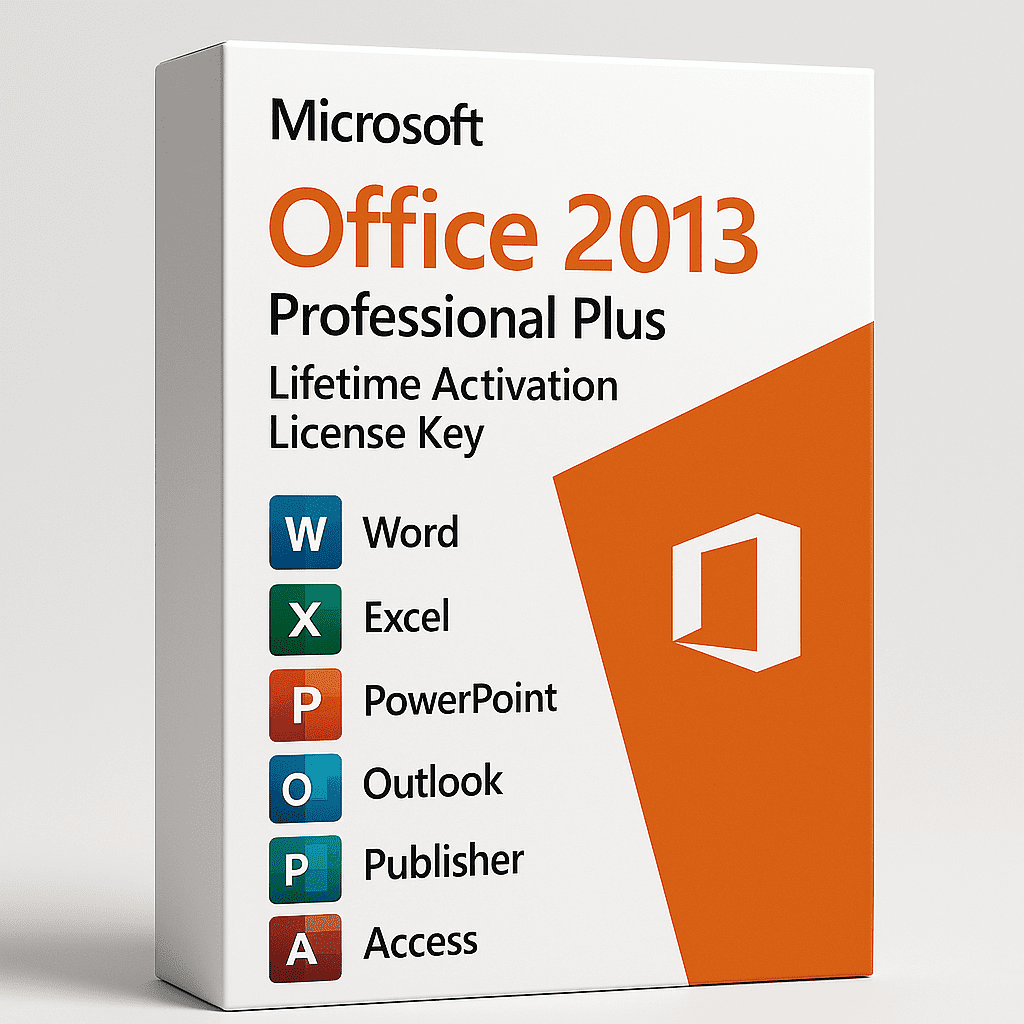
Description
Office 2013 Professional Plus delivers a refined, dependable productivity suite built for performance and long-term value. With a clean, modern interface, faster load times, and full cloud connectivity, it enables professionals, students, and businesses to work efficiently without relying on subscriptions.
?? Product Details
| Parameter | Details |
|---|---|
| Edition | Office 2013 Professional Plus |
| License Type | Retail / Perpetual Lifetime License |
| Activation | Online Activation – Genuine Product Key |
| Devices | 1 PC (Windows Only) |
| Delivery | Instant Digital Delivery via Email |
| Installer | Full Offline Installer (32-bit & 64-bit) |
| Transferability | Non-transferable after activation |
| Validity | Lifetime – No Renewals or Subscriptions |
? Why Choose Office 2013 Professional Plus
? Modern Interface – Streamlined ribbon and touch-friendly layout for a cleaner workspace.
? Complete Productivity Suite – Includes Word, Excel, PowerPoint, Outlook, Access, Publisher, and OneNote.
? Lifetime Ownership – Single activation ensures perpetual access with no hidden costs.
? Cloud Integration – Save, sync, and share files securely through OneDrive.
? Enhanced Stability – Optimized to run smoothly on both older and modern Windows systems.
? Included Applications
Word 2013: Advanced document creation and direct PDF editing.
Excel 2013: Smarter analysis with Flash Fill, Quick Analysis, and Pivot Table enhancements.
PowerPoint 2013: Rich transitions, animations, and multimedia integration.
Outlook 2013: Unified email, calendar, and task management.
Access 2013: Build secure, data-driven databases with templates.
Publisher 2013: Design professional marketing materials and newsletters.
OneNote 2013: Organize notes, research, and ideas efficiently.
? Key Enhancements
Touchscreen compatibility for hybrid devices.
Start screens with project templates and recent documents.
Default cloud saving via OneDrive.
Editable PDF support in Word.
Faster performance and reduced startup times.
? Security & Compatibility
Offline Use: Full functionality without constant internet access.
File Support: Opens and saves .docx, .xlsx, .pptx, .pdf and legacy formats.
Data Protection: Integrated encryption and information rights management.
System Compatibility: Windows 7, 8, 8.1, 10, and 11 (32/64-bit).
? Lifetime License Advantages
One-Time Payment – No Renewals
Consistent Performance – No Forced Updates
Budget-Friendly Investment for long-term use.
Full Feature Access without cloud restrictions.


Vikas Sharma –
Office 2013 Professional Plus is a fantastic deal. The lifetime activation means I won’t have to worry about renewing my subscription. It’s a great option for anyone who needs Office tools for a long time.
Priya Singh –
I’ve been using Office 2013 for several months. It’s fast, efficient, and has all the tools I need for work. The lifetime activation ensures peace of mind.
Amit Sharma –
Good software for personal and business use. Lifetime activation is great. Some features feel old, but overall it’s reliable.
Neha Gupta –
Easy to use, no need for yearly payments. Everything works fine, especially Excel and Word. Perfect for students and home use.
Ravi Patel –
Works well, but feels outdated compared to newer versions. Still, it’s good value for the price if you don’t need the latest features.
Rajesh Singh –
Good suite for work and school. I like how fast it opens and runs. Lifetime activation is a big plus.
Anjali Verma –
Office 2013 is simple and easy to use. It’s a great option if you don’t need all the latest features from new versions.
Karan Joshi –
Great software for the price. It has all the essential tools, though some newer features are missing.
Simran Kaur –
Office 2013 works great for me. I use it for both work and personal tasks. Lifetime license means no yearly costs.
Sandeep Chauhan –
Good for basic use but feels a bit old now. Some compatibility issues with newer files, but nothing major
Shweta Desai –
Love it! I use Word and Excel daily. Lifetime activation is fantastic, and I haven’t faced any issues so far.
Ashok Kumar –
Good software for home office use. The lifetime license is a great deal. Works well on older systems too, but lacks some features from newer versions.
Divya Nair –
Perfect for my needs. I use Word, Excel, and PowerPoint for work and study. Activation was easy, and I’m happy with the performance.